Skip to content

PLC software in CODESYS and Siemens

The software determines how smart, safe and maintainable a machine is. We program most of our control systems in CODESYS, and are equally at home in Siemens TIA Portal and LOGO!.

Main platform
CODESYS
Also
Siemens TIA Portal, LOGO!
Operator interface
Exor JMobile, Siemens HMI
Remote access
eWON
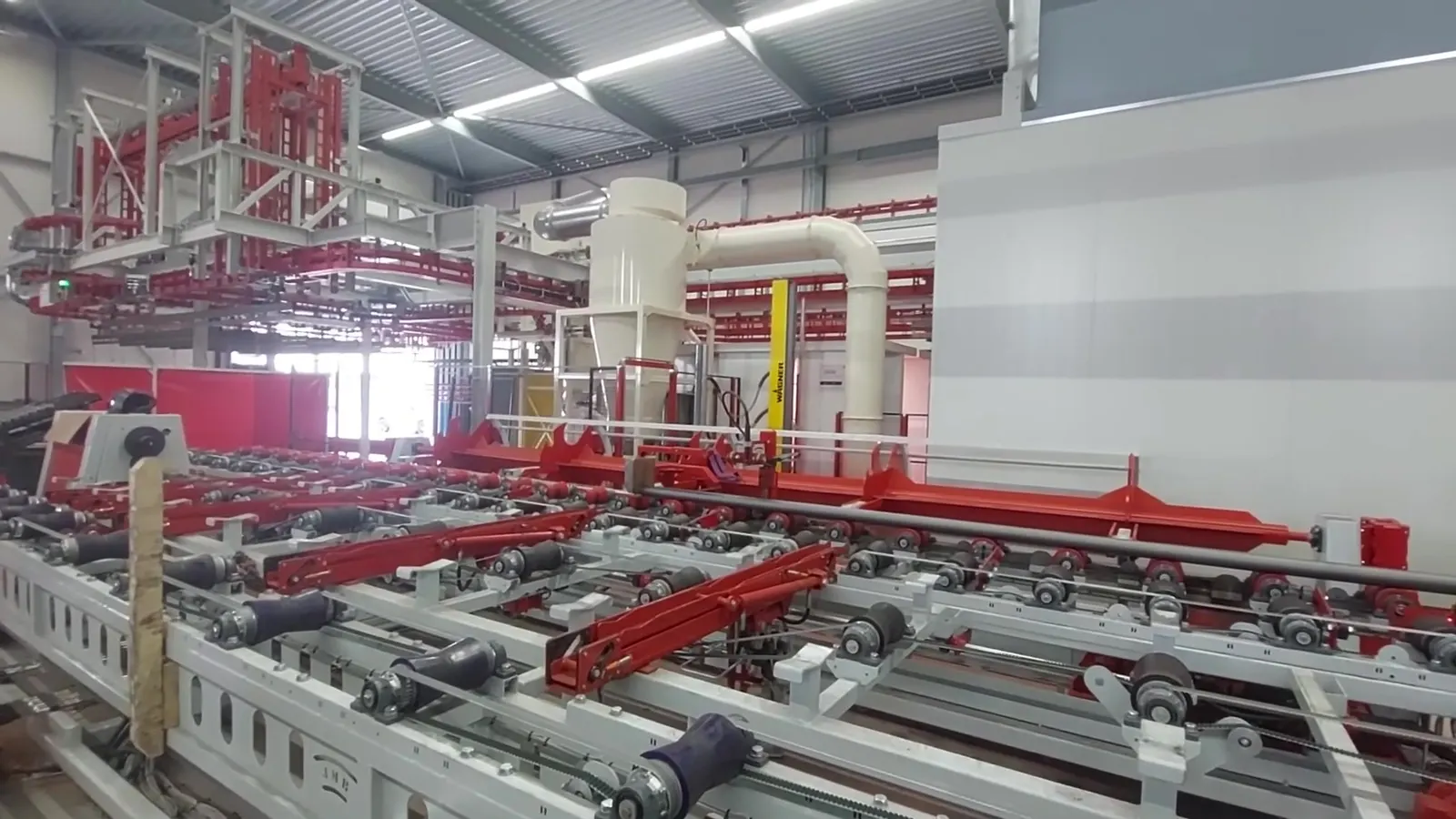
Roller conveyors and cross transfer of the VST sprinkler pipe line, driven by a CODESYS control system from AVASTO
Production line for sprinkler pipes, controls in CODESYS

Why we choose CODESYS

CODESYS is a development environment for PLC software based on the international standard IEC 61131-3. The big difference from the software of a single PLC brand: CODESYS runs on hardware from many different manufacturers. For years, we have programmed most of our control systems in it, from a single elevator to complete production lines.

For you as a client, this mainly means freedom and certainty: you are not tied to a single hardware supplier, and the software remains readable and extendable for the long term.

Hardware-independent
The same software runs on controllers and panels from different brands. We use, among others, Exor panels with a built-in CODESYS PLC, Wago IO and remote IO from Hitachi. If a component is no longer available, you choose an alternative without reprogramming everything.
All languages of the standard
Structured Text, ladder diagram, function block diagram and sequential function chart in one project. For each part, we choose the language that is clearest, and write complex logic in an object-oriented way with function blocks, methods and interfaces.
Simulation before commissioning
CODESYS can run the software without a PLC. This lets us test sequences, alarms and exceptions at the office, so your machine is down for less time.
Reusable libraries
We reuse proven function blocks, for example for drives, alarms or counting products, in subsequent projects. That makes new control systems faster to build and more reliable.
Open communication
Fieldbuses such as CANopen, Profinet, EtherCAT and Modbus, and OPC UA to exchange data with other systems. Connections to SQL and MySQL databases are also possible.
Remote maintenance
With eWON, we can look into the running software remotely. We can often handle a modification or fault without anyone having to visit you.

How we build software

A control system must still be understandable in ten years' time, even for someone who did not help write it.

  1. Process first, then code. Together with you and the machine builder, we define what the machine must do, including in the event of a fault, an emergency stop or a power failure.
  2. Simulate. We first build complex logic as a simulation in Python or JavaScript and then convert it to PLC code. For the VST sprinkler pipe line, the cutting plan had already been fully calculated this way before the line was standing in the hall. More about simulation.
  3. Modular programming. Every station and every drive gets its own function block with fixed inputs, outputs and alarms. The pipe counting we wrote for VST was later reused at FAAY.
  4. Clear operator interfaces. Screens in JMobile or on a Siemens panel, in any language you need, with recipes, alarm pages and user permissions.
  5. Version control. We manage the software with git, so every change can be traced and an old version never ends up on the machine.
  6. Commissioning, and staying on. We commission the installation together with you and then remain your point of contact for modifications and extensions.

Simulate first, then build

The more complex the line, the more expensive an error that only comes to light during commissioning. That is why we simulate the tricky parts of a control system in advance. Not in a heavyweight package, but with our own software in Python or JavaScript: quick to build, easy to adapt and easy to share with the client.

  • Cutting plan for VST (Python). From stock pipes and remnants, the line calculates how pipes are welded together and sawn to length. We first wrote that cutting plan in Python, ran it with real orders and only then converted it to CODESYS. We generated test orders for the order processing as XML with Python.
  • Conveyor simulation for FAAY (JavaScript). A browser-based simulation of the boards running through line B, with sensors, stoppers and adjustable speeds per conveyor. This let us determine the cycle time and the motors before anything had been ordered.
  • 3D model and digital twin. Based on the 3D models of the machines, we built a 3D simulation for FAAY, first driven via an SQL database and later via OPC UA, and linked to the real CODESYS software and the JMobile operator interface. This lets you operate the line on screen without a single board moving.
  • Simulation in CODESYS itself. Stations such as FAAY's vacuum station first ran in CODESYS simulation mode, together with the real operator screens.

A simulation catches a lot, but not everything. We iron out the last exceptions in production, with small orders and as much variation as possible.

Conveyor simulation in JavaScript for FAAY production line B: boards run from infeed and buffer via the slot milling machine and hot melt to the clamping conveyor and carousel conveyor.

Your machine talks to your business software

A machine that fetches its own orders and reports what it has produced saves retyping, errors and searching.

We connect the control system to the systems you use to run your business: your ERP or order system, your planning, a database or a reporting environment. Orders then go straight from the office to the machine, and whatever the machine produces, consumes or reports automatically flows back into your records.

Because we write both the PLC software and the integration, nobody has to translate in between. We speak the language of the machine and that of your software, and connect to what you already have rather than imposing a new package on you.

Importing orders
Orders from your order system arrive as a file or via a database, and are checked and scheduled by the PLC. No more retyping at the machine.
Production data back
Quantities, lengths, times, faults and consumption go back per order to your records or to a database for reporting and post-calculation.
Live insight
View status, stock or silo contents remotely, and reports that the operator emails from the touchscreen at the press of a button.
Open standards
XML and CSV files, SQL and MySQL databases and OPC UA. Where needed, we write a small piece of our own software in Python to sit in between.
Reliable
The PLC checks every order for valid dimensions and settings before it starts, so an error in a file never leads to a wrong product.
Extendable
Start with importing orders and extend later with data export, KPIs or a link to your planning.

VST. Orders arrive as XML, are checked and processed using kanban. The production data goes to an SQL database for reporting.

FAAY. The control system writes the production data to a MySQL database; the operator sends a report per date from the touchscreen.

Strack vloeren. The contents of every cement silo are weighed and can be monitored online in tonnes.

Cameras and image recognition

Several production lines have cameras that we set up together with the control system. When there is a fault, we can look remotely not only into the PLC but also into the hall. Because the images are recorded, we can look back at what happened just before a fault. That saves searching and often a trip to the client.

The same cameras can also do some of the thinking. With image recognition, situations can be detected automatically, such as a person in a zone, a skewed or missing board or a full stack. We pass that detection on to the PLC, which turns it into an alarm, a notification or extra information for the operator. This turns a camera into an extra sensor that can see everywhere.

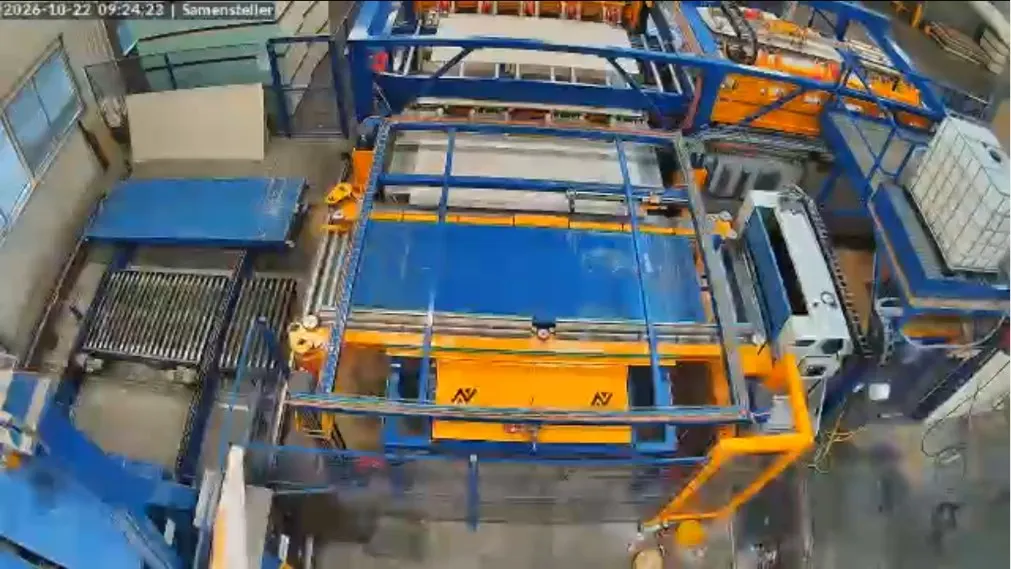
Overhead camera view of the assembly station of FAAY production line B
Camera view of the assembly station, FAAY line B
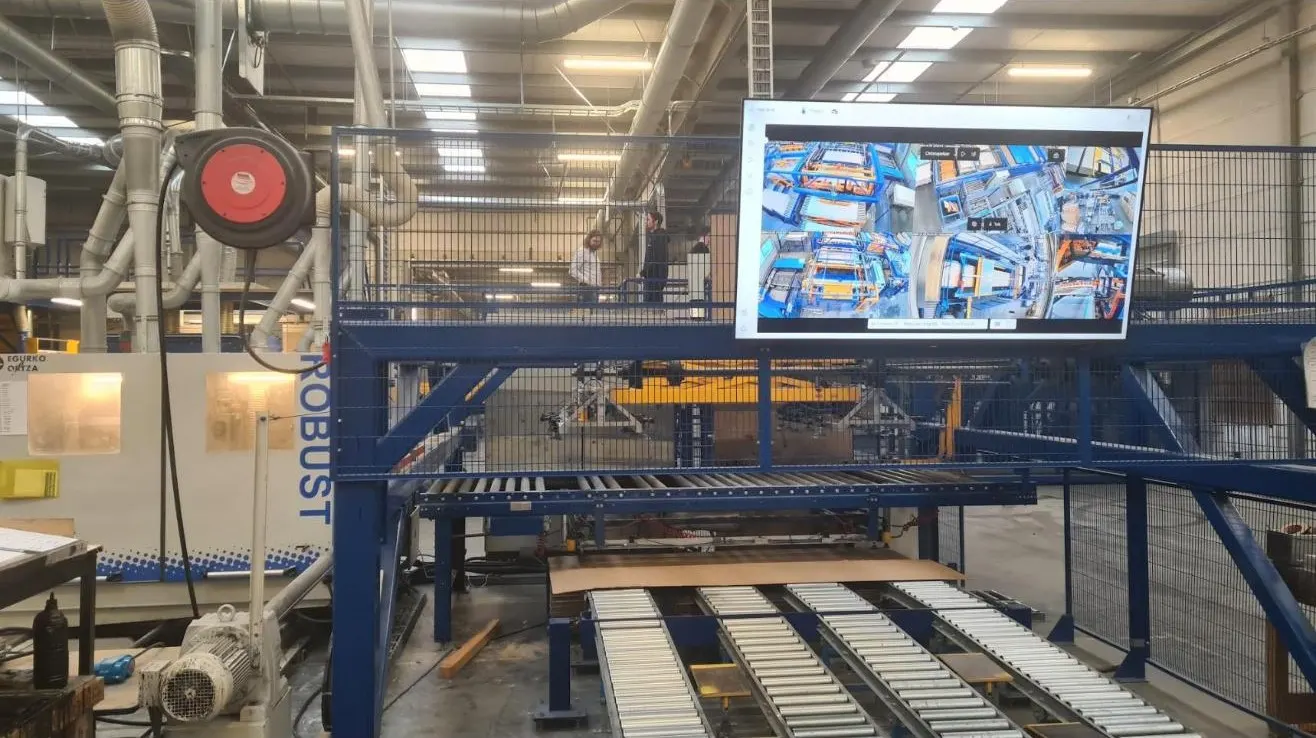
Large screen above the production line with four camera images
All images on one screen in the hall

CODESYS in practice

Three projects in which our CODESYS expertise made the difference.

VST sprinkler pipes

For Juffermans Machinebouw, the controls for an automated production line: tracking of around fifty pipes at a time, a cutting plan that minimises waste, a CANopen network with Wago IO, integration with two welding robots and data export to an SQL database.
View the project

FAAY, production line B

Five stations that together build up walls of flax and gypsum, with 56 SEW drives on a single Profinet network, vacuum frames with recipes, an endless core board with hot melt, a MySQL link and ten cameras.

View the project

Strack vloeren

New controls for the filling installation of the cement silos and the bucket elevator with hoppers: an Exor panel with CODESYS, remote IO via Profinet, weighing per silo and silo contents in tonnes that Strack can monitor online. With eWON, we provide remote support.

More references

At home in Siemens too

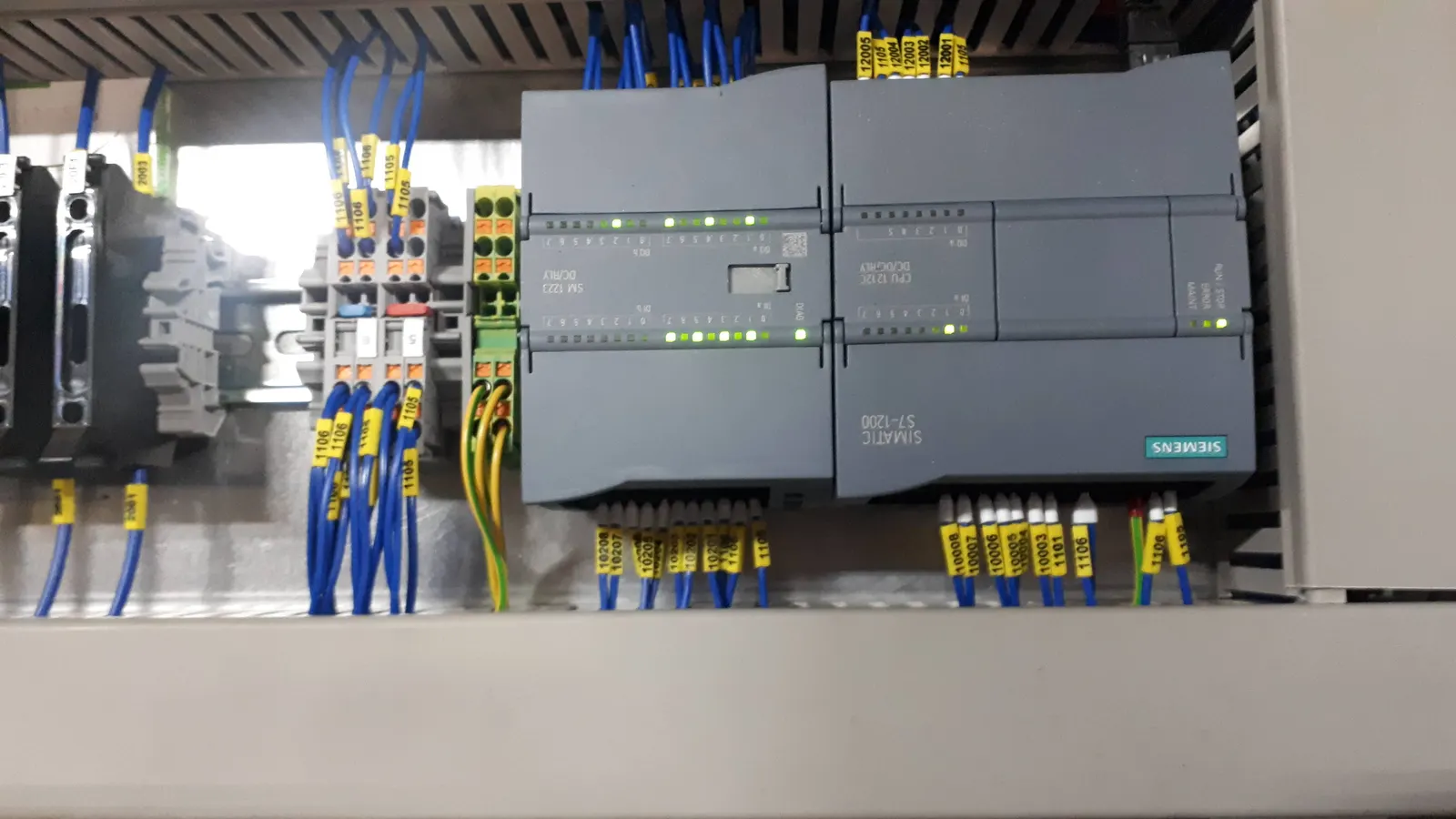
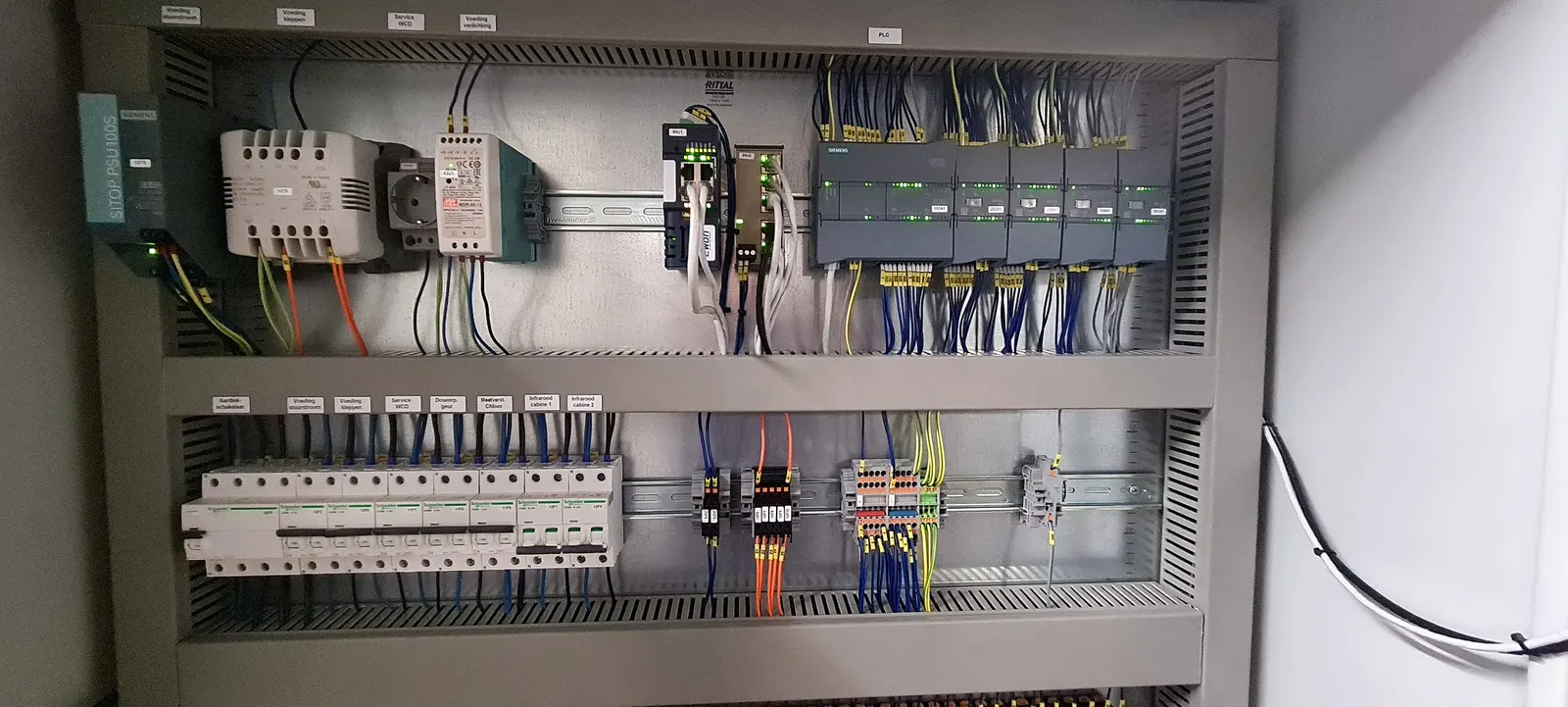
If your factory runs on Siemens, or your client requires it, we program in Siemens just as well. We work with Siemens S7 PLCs in TIA Portal, with LOGO! for smaller control systems and with Siemens operator panels.

  • lifting frames for Jan Snel with battery power, an S7-1200, four locking pins with sensors and a wireless remote control
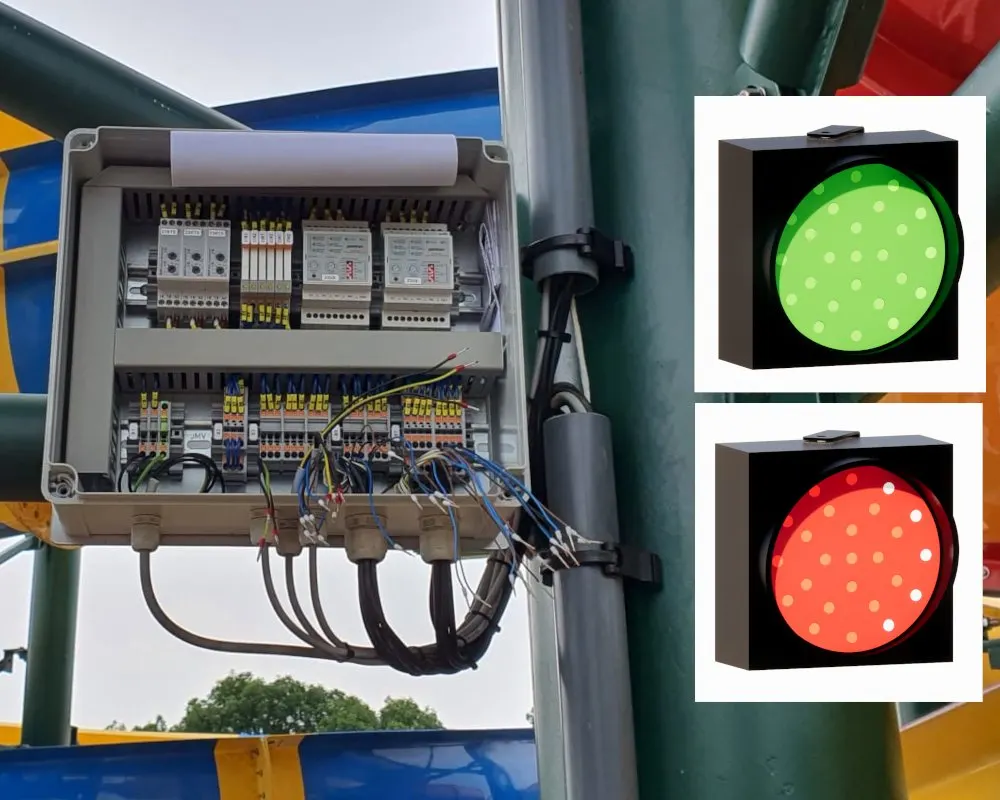
  • a traffic light control system with LOGO! for the slides of a swimming pool in Vienna
  • a LOGO! control system for air dehumidification
  • the control of whirlpools with a Siemens display at swimming pool Waterwijck

If you have an existing Siemens installation that needs modifying or extending, we build on it. The same applies to Schneider, Wago and Beckhoff TwinCAT.

Control panel with Siemens PLC for a Jan Snel lifting frame
Siemens PLC in a lifting frame for Jan Snel
Control panel for the whirlpools at swimming pool Waterwijck
Whirlpool controls, swimming pool Waterwijck
Control panel for the traffic lights of slides
Traffic light controls for slides

Feel free to get in touch!

We are of course also happy to talk to you by phone.

Populierenweg 41, 3421 TX Oudewater
Monday to Friday 8:00 – 17:00